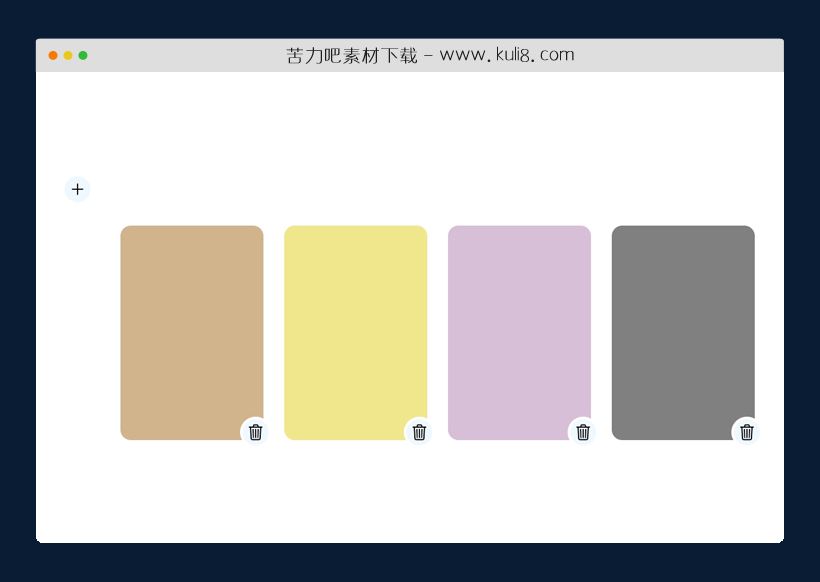

资源描述:当单击删除按钮时,相应的卡片会平滑的消失。当添加新的卡片时,它会随机背景颜色。
VanillaJS创建的自定义添加/删除带有卡片布局(共3个文件)
- index.html
使用方法
document.querySelector('.cards').addEventListener('click', e => {
	if (e.target.classList.contains('delete-btn')) {

		if (!document.startViewTransition) {
			e.target.parentElement.remove();
			return;
		}

		e.target.parentElement.style.viewTransitionName = 'targeted-card';
		document.startViewTransition(() => {
			e.target.parentElement.remove();
		});
	}
})

document.querySelector('.add-btn').addEventListener('click', async (e) => {
	const template = document.getElementById('card');

	const $newCard = template.content.cloneNode(true);

	if (!document.startViewTransition) {
		document.querySelector('.cards').appendChild($newCard);
		return;
	}

	$newCard.firstElementChild.style.viewTransitionName = 'targeted-card';
	$newCard.firstElementChild.style.backgroundColor = `#${ Math.floor(Math.random()*16777215).toString(16)}`;
	const transition = document.startViewTransition(() => {
		document.querySelector('.cards').appendChild($newCard);
	});

	await transition.finished;

	const rand = window.performance.now().toString().replace('.', '_') + Math.floor(Math.random() * 1000);
	document.querySelector('.cards .card:last-child').style.viewTransitionName = `card-${rand}`;

});
站长提示:
1. 苦力吧素材官方QQ群:950875342
2. 平台上所有素材资源,需注册登录会员方能正常下载。
3. 会员用户积极反馈网站、素材资源BUG或错误问题,每次奖励2K币。
4. PHP源码类素材,如需协助安装调试,或你有二次开发需求,可联系苦力吧客服。
5. 付费素材资源,需充值后方能下载,如有任何疑问可直接联系苦力吧客服
1. 苦力吧素材官方QQ群:950875342
2. 平台上所有素材资源,需注册登录会员方能正常下载。
3. 会员用户积极反馈网站、素材资源BUG或错误问题,每次奖励2K币。
4. PHP源码类素材,如需协助安装调试,或你有二次开发需求,可联系苦力吧客服。
5. 付费素材资源,需充值后方能下载,如有任何疑问可直接联系苦力吧客服
PREVIOUS:
NEXT:
相关资源 / 列表&布局

😀
- 😀
- 😊
- 😂
- 😍
- 😑
- 😷
- 😵
- 😛
- 😣
- 😱
- 😋
- 😎
- 😵
- 😕
- 😶
- 😚
- 😜
- 😭
发表评论